 RecipezyImport Guides
All import guides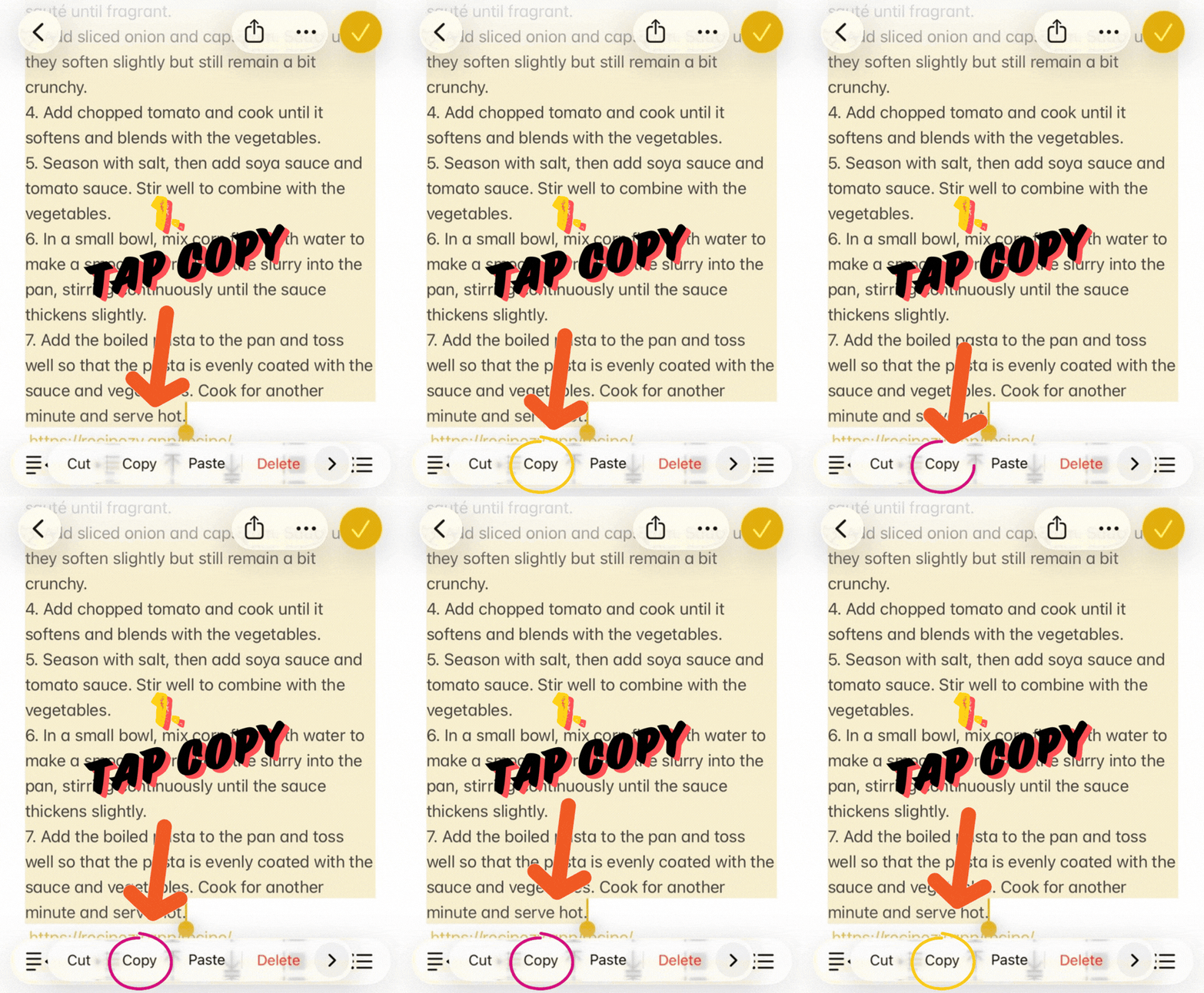

📝
Paste from Notes Guide
Copy recipe text from Notes, paste it into Recipezy, and organize it with AI.
Step 1 of 5
1. Copy the recipe text
In Notes, select the recipe and tap Copy.
Step 2 of 5
2. Open Add Recipe
In Recipezy, tap the + button to start a new import.
Step 3 of 5
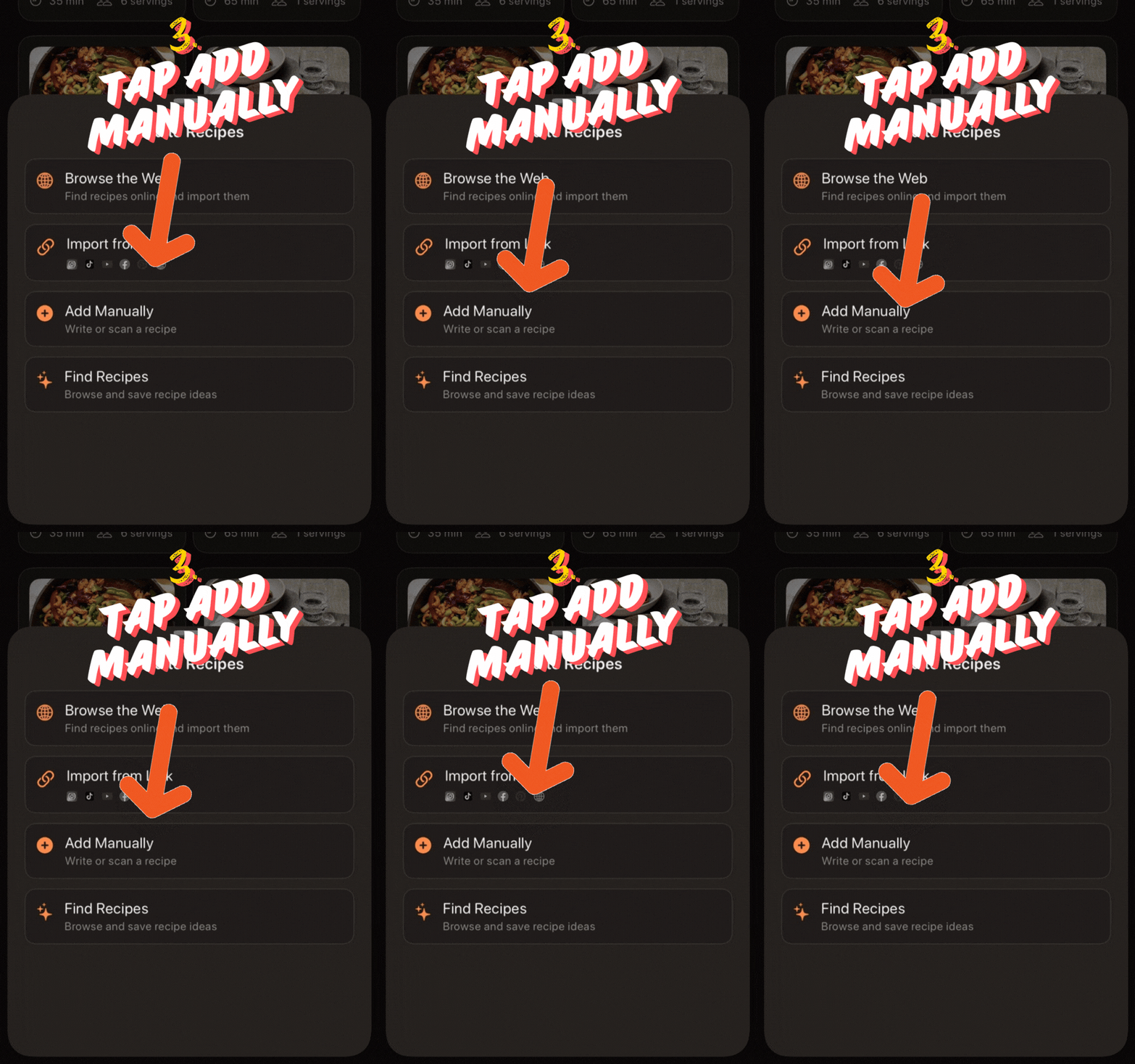
3. Choose Add Manually
From the Add Recipe menu, tap Add Manually.
Step 4 of 5
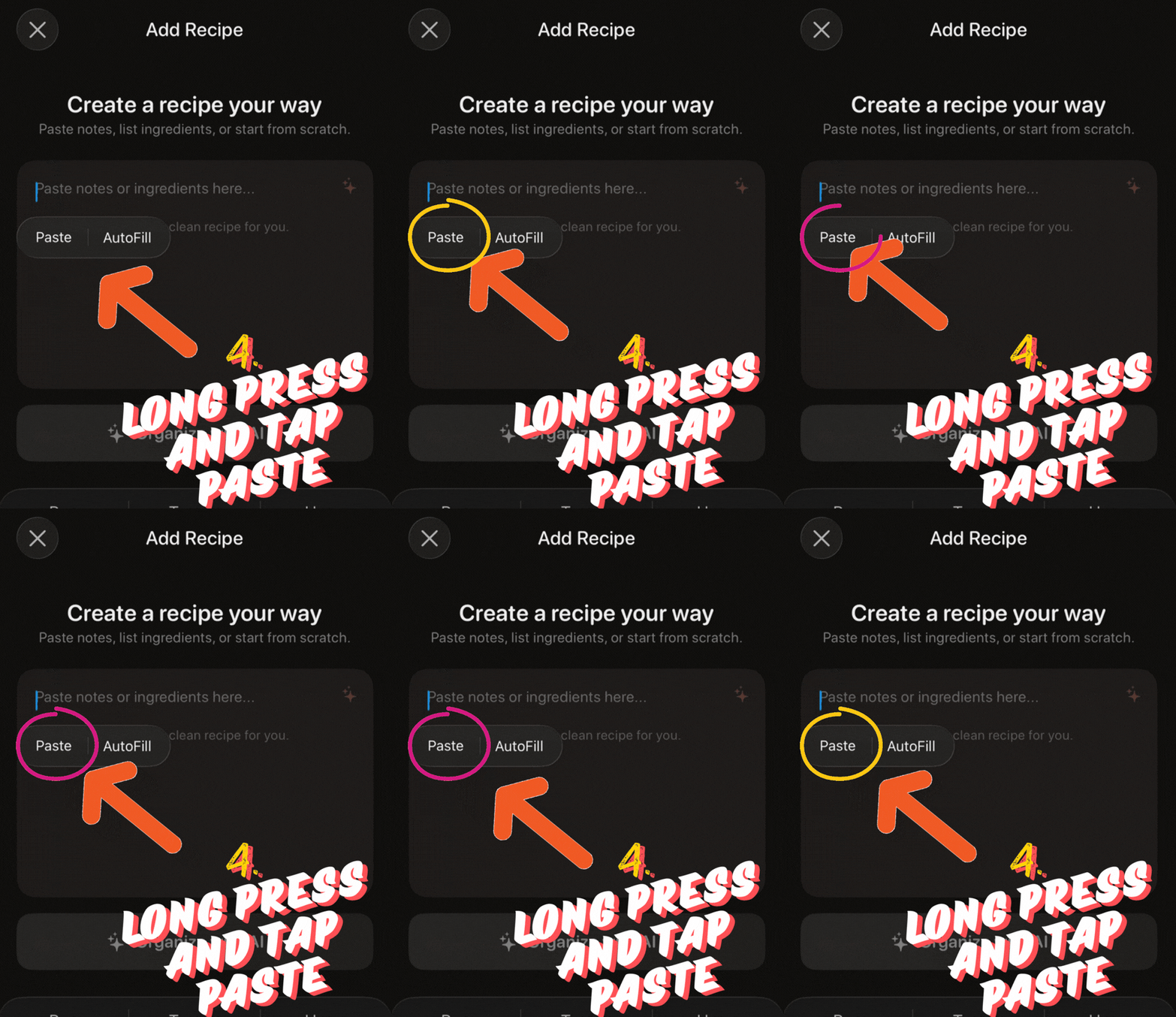
4. Paste into the text box
Long-press in the field, then tap Paste.
Step 5 of 5
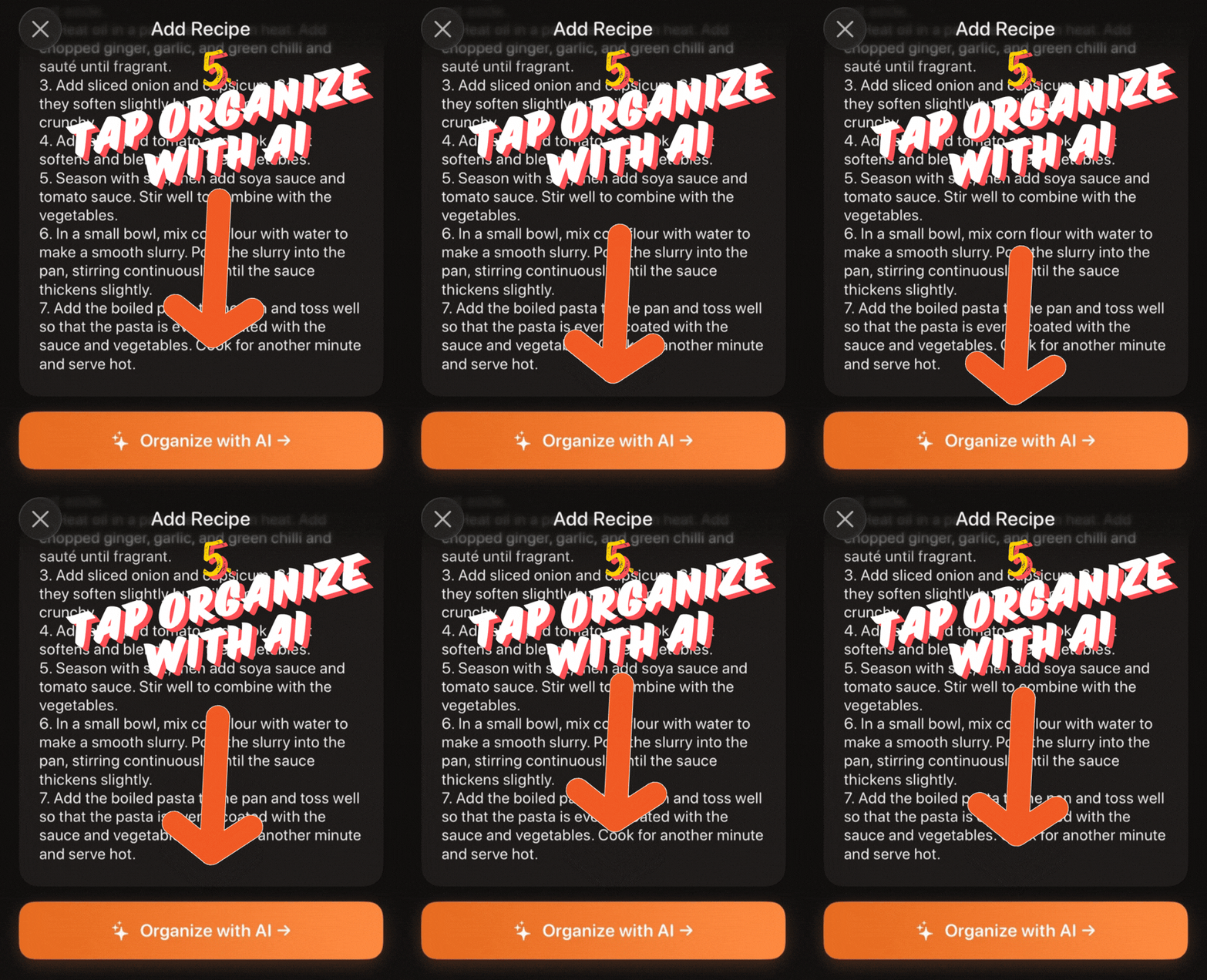
5. Organize with AI
When the text is in place, tap Organize with AI.
Still having trouble importing?
- You copied the full recipe text, not only the title.
- The pasted text includes ingredients and instructions.
- The text is pasted into the main Recipezy input field.
If the result is incomplete, paste a cleaner version of the recipe text and try again.
Still stuck? Contact support