 RecipezyImport Guides
All import guides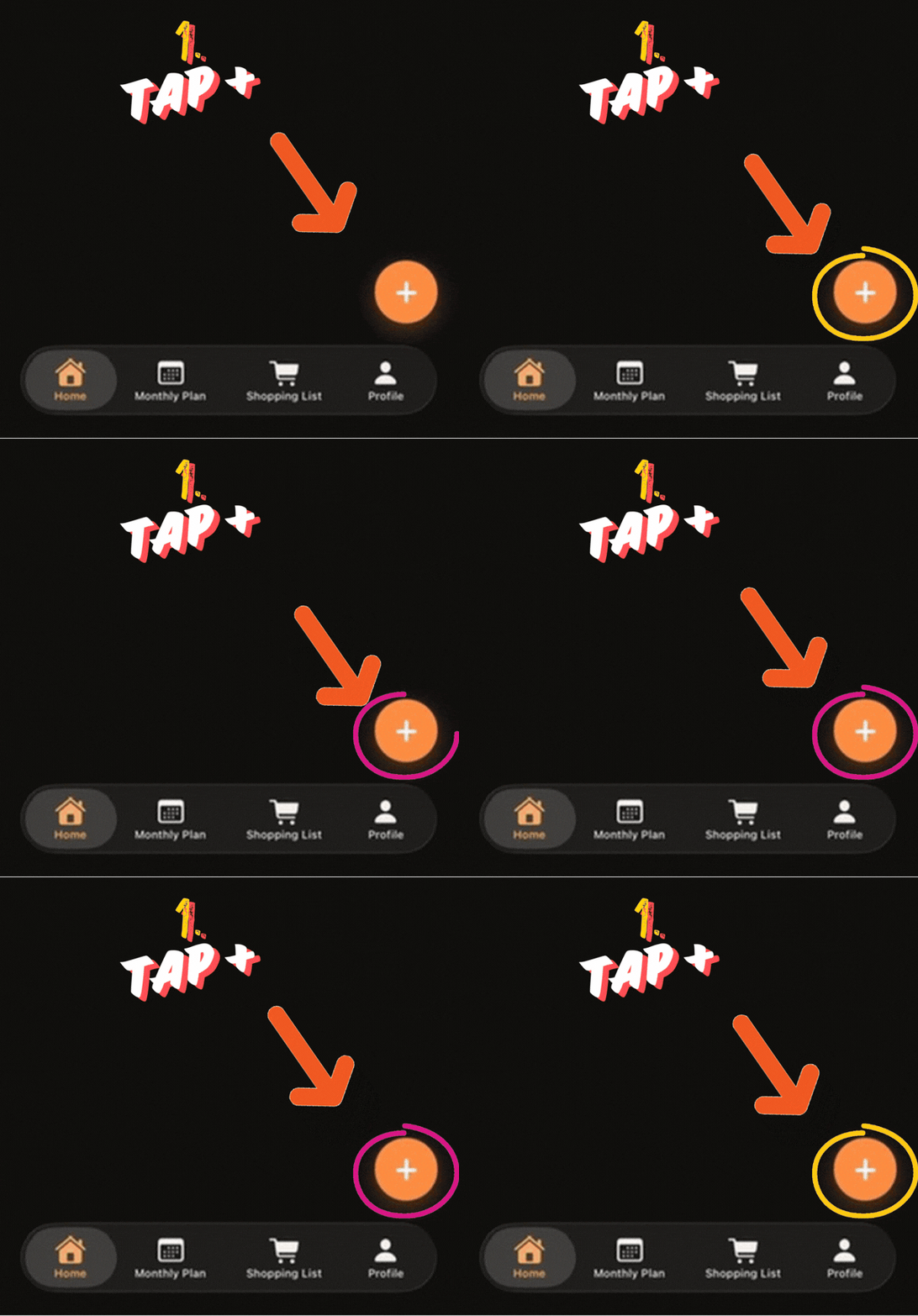
📷
Import from Photo Guide
Import recipes from inside the app or from photos in your gallery.
1. From App
Step 1 of 5
1. Open Add Recipe
In Recipezy, tap the + button to start a new import.
Step 2 of 5
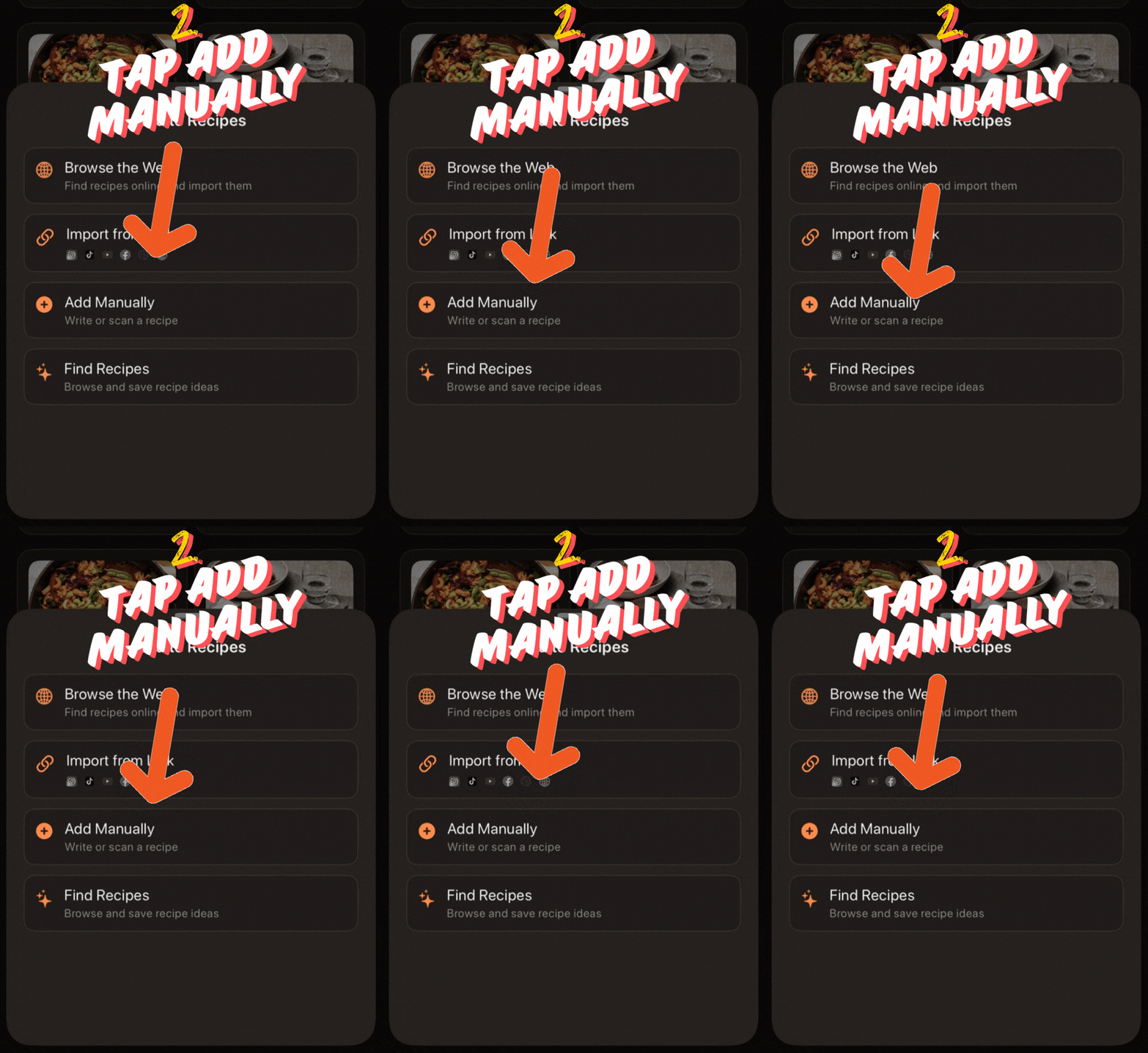
2. Choose Add Manually
From the Add Recipe menu, tap Add Manually.
Step 3 of 5
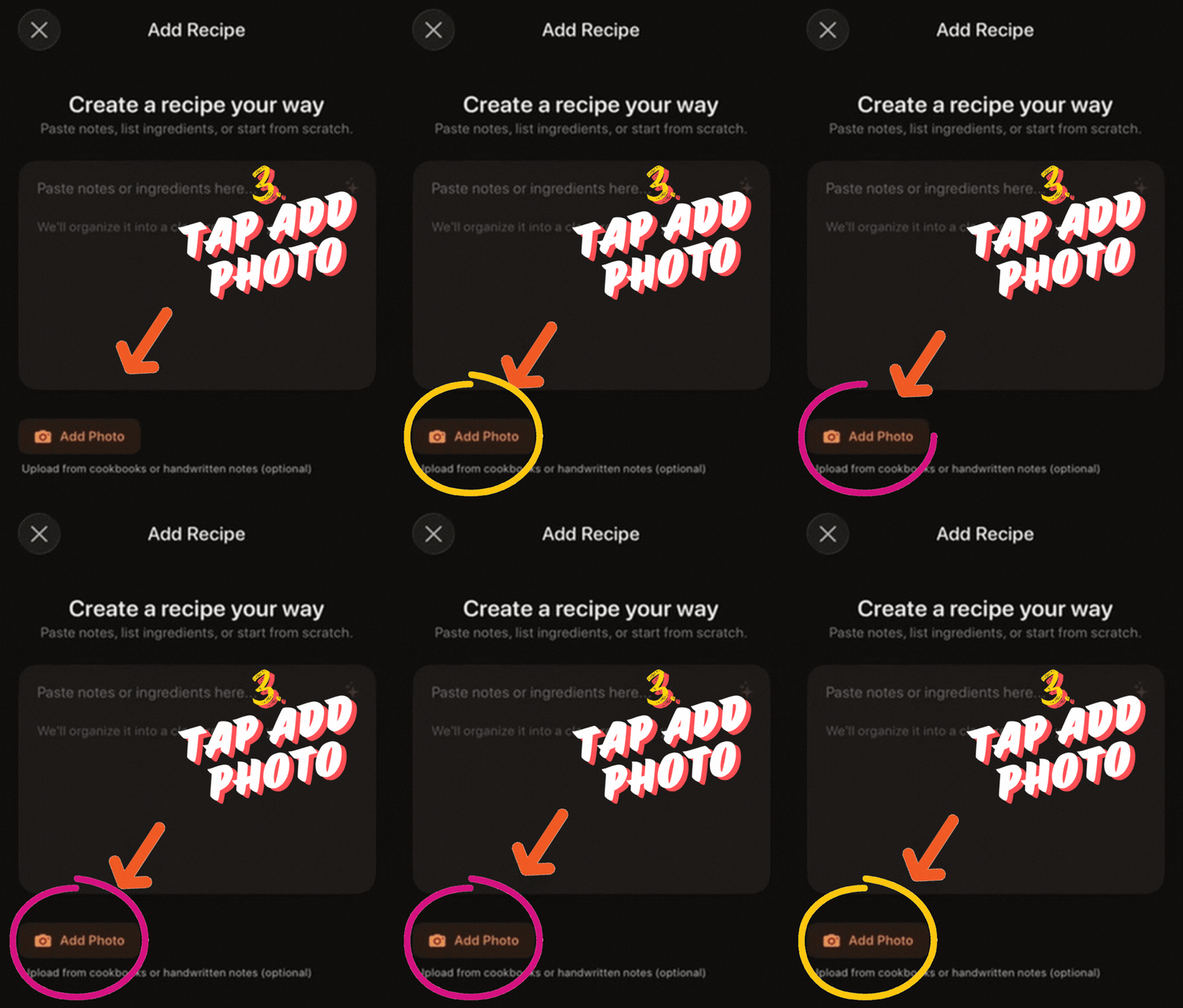
3. Add a photo
On the manual recipe screen, tap Add Photo.
Step 4 of 5
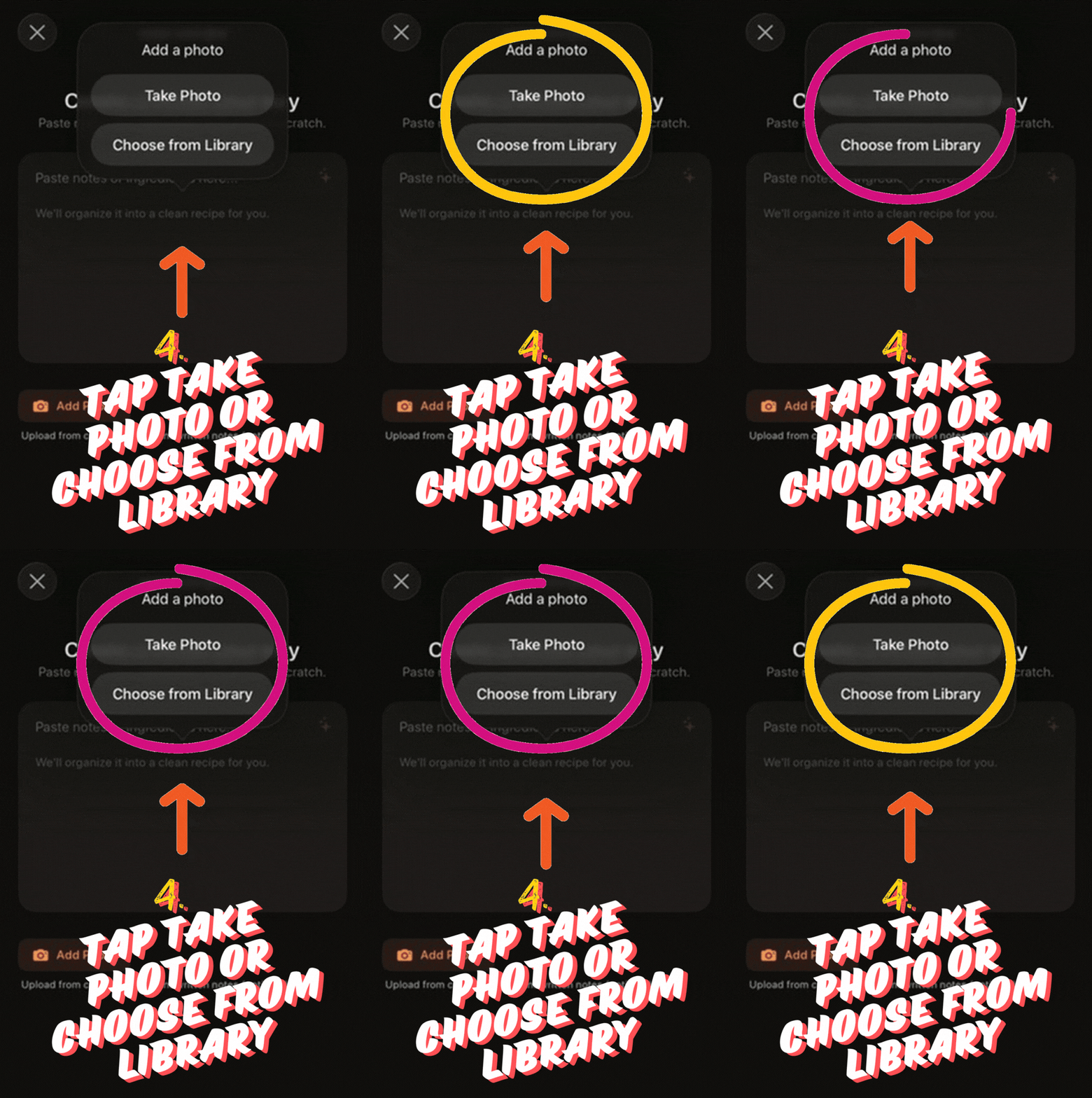
4. Choose your source
Pick Take Photo or Choose from Library.
Step 5 of 5
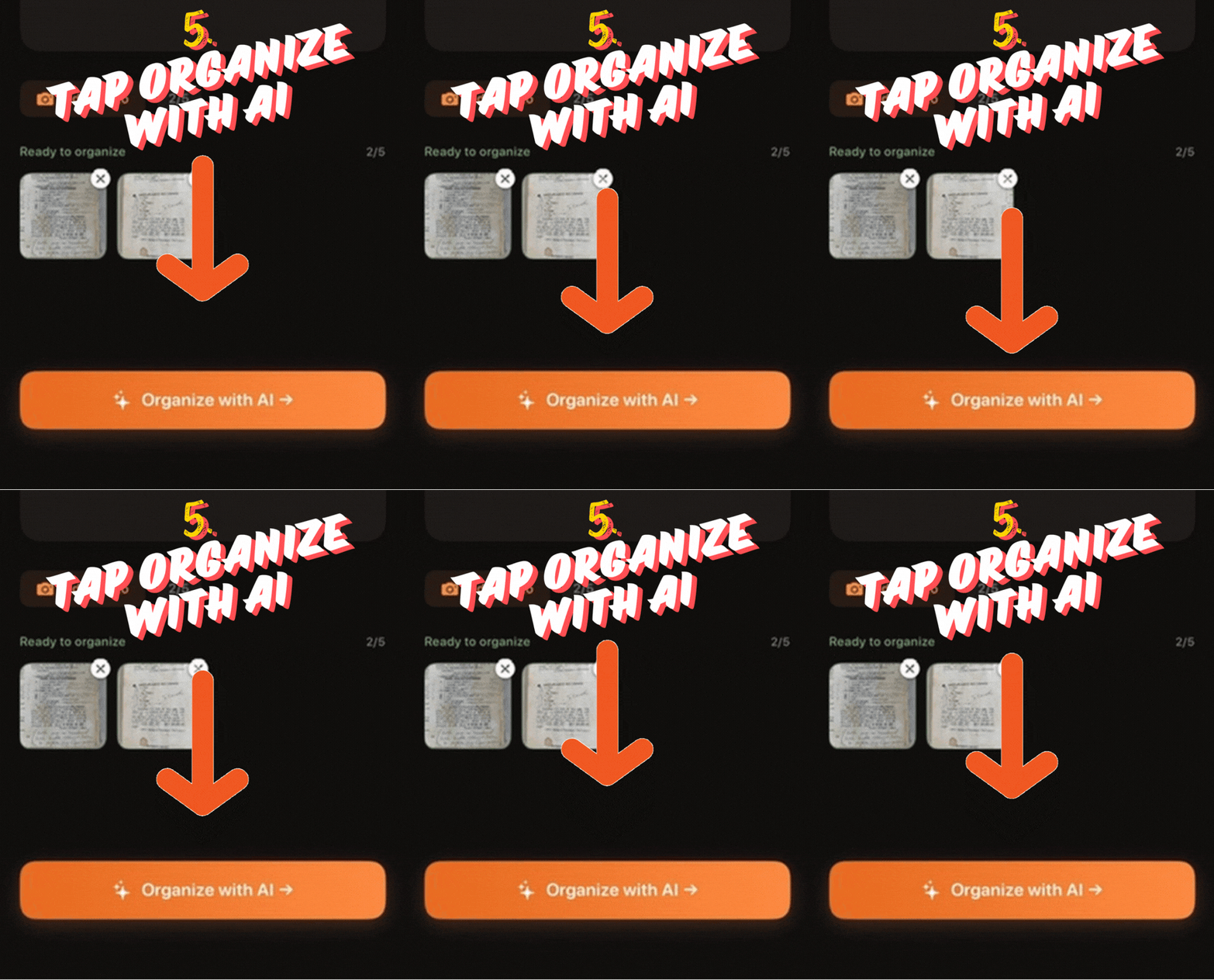
5. Organize with AI
After adding your images, tap Organize with AI.
2. From Gallery
Step 1 of 3
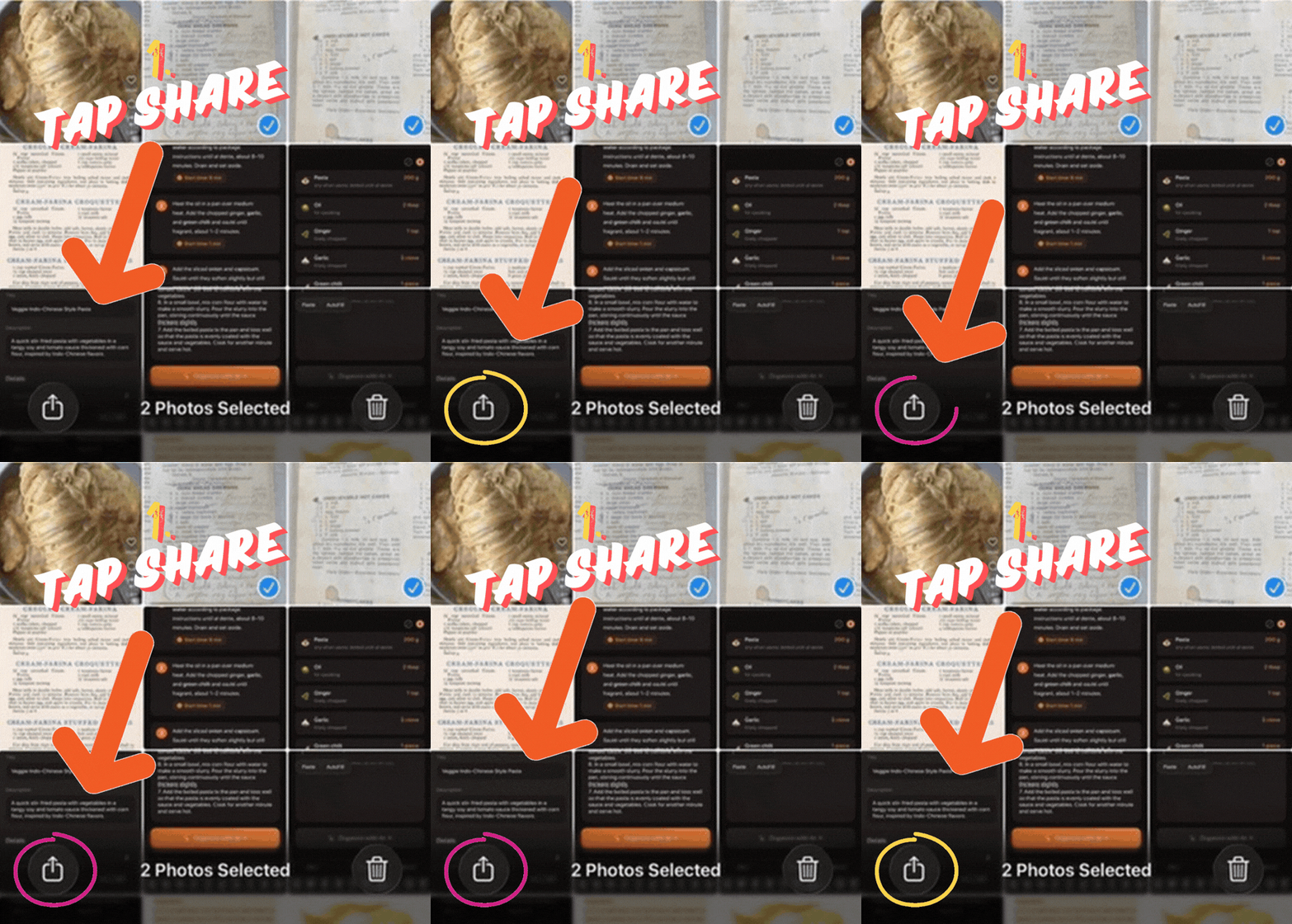
1. Share the selected photos
In Photos, select the recipe images and tap Share.
Step 2 of 3
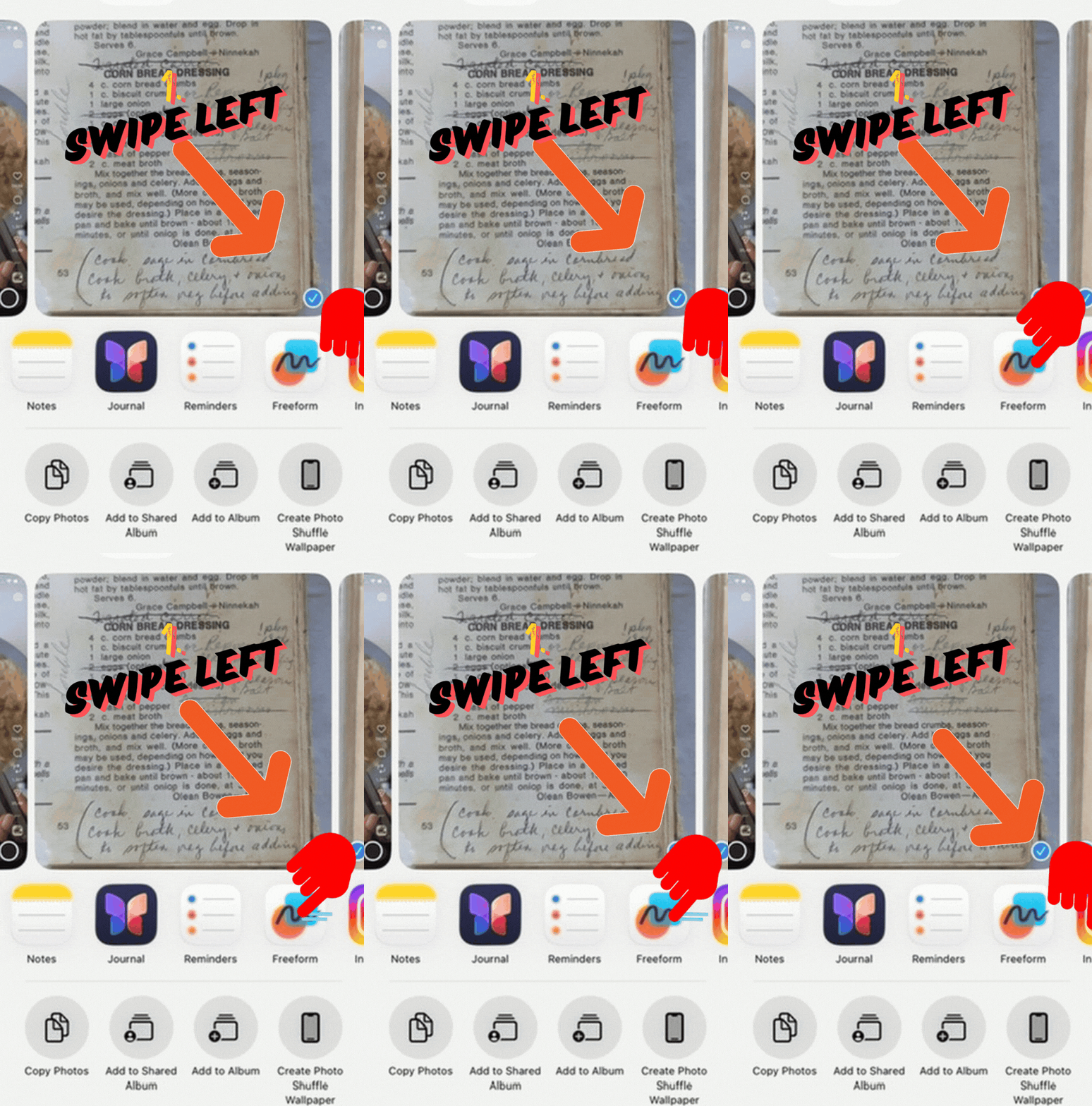
2. Move through the share sheet
Swipe left until more share actions are visible.
Step 3 of 3
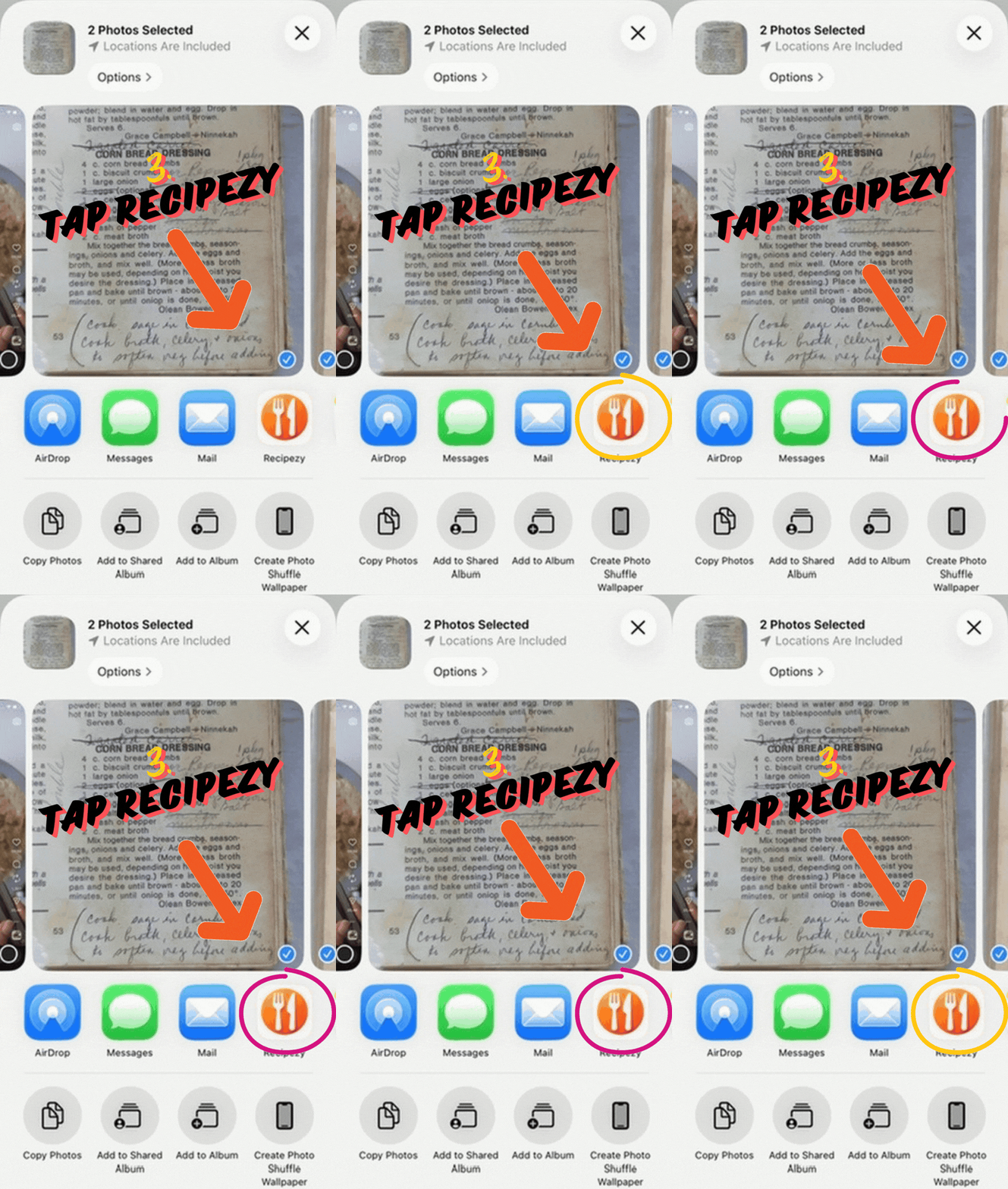
3. Open in Recipezy
Tap Recipezy in the share sheet to import the selected photos.
Still having trouble importing?
- The recipe text is clearly visible in the image.
- The photo is well lit and not blurry.
- You included the full ingredient list and instructions when possible.
If the import is incomplete, use clearer photos or select higher-quality images from your gallery.
Still stuck? Contact support