 RecipezyImport Guides
All import guides
📚
Scan Cookbook Pages Guide
Use your camera to capture printed cookbook recipes and import them into Recipezy.
Step 1 of 4
1. Start the cookbook scan
In Recipezy, tap the + button to begin scanning a cookbook page.
Step 2 of 4
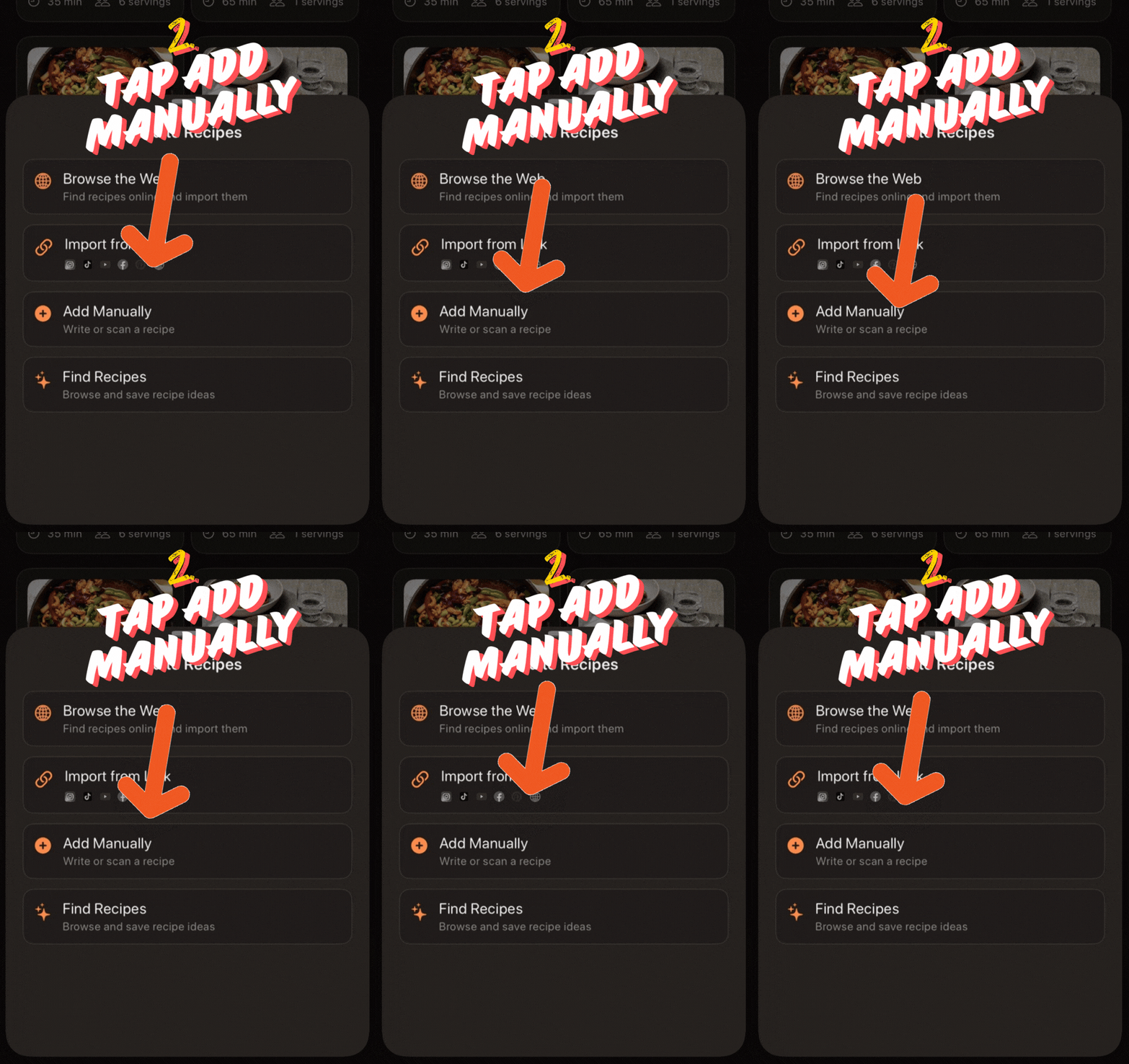
2. Choose Add Manually
From the Add Recipe menu, tap Add Manually.
Step 3 of 4
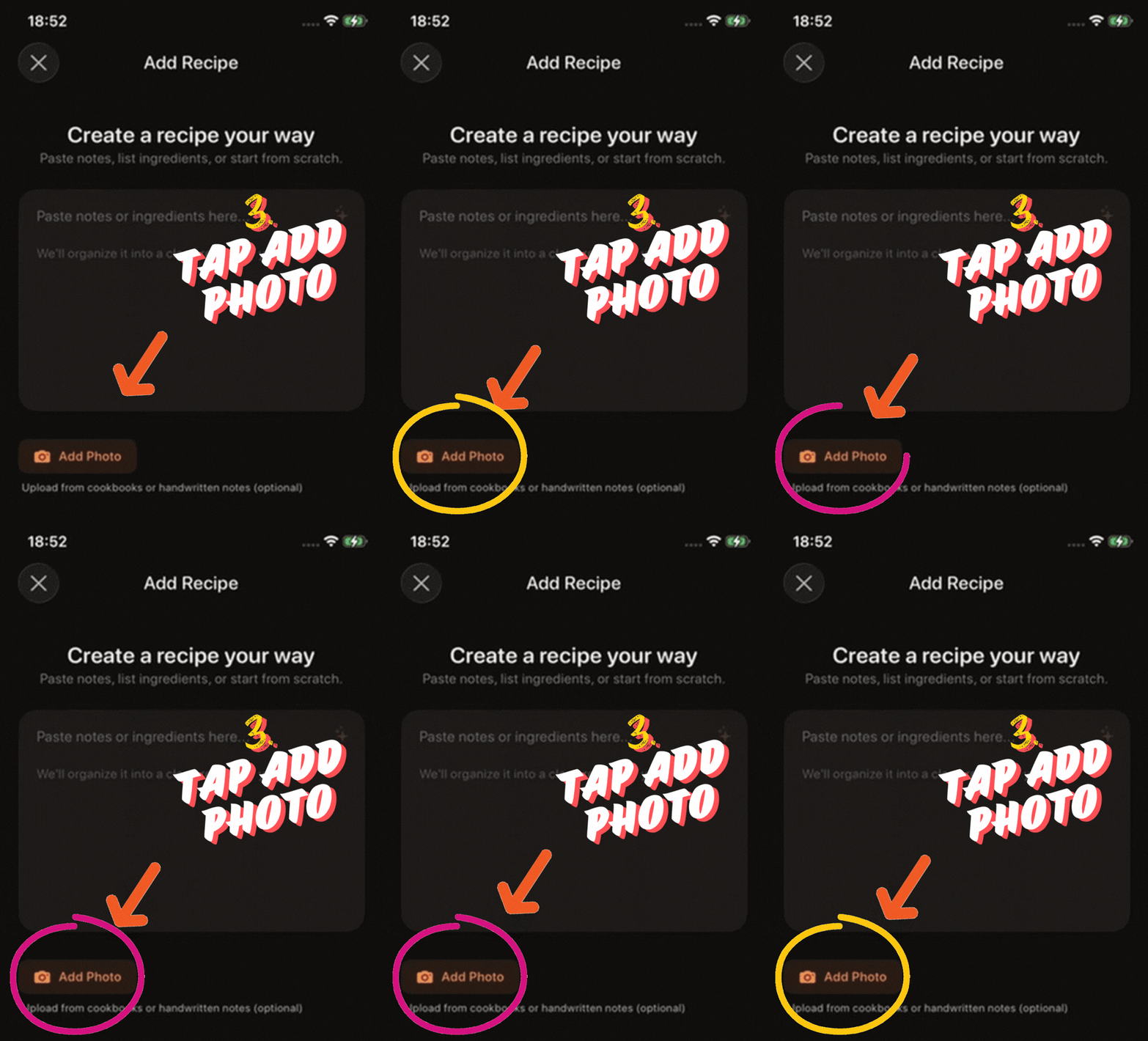
3. Add a photo
On the manual recipe screen, tap Add Photo.
Step 4 of 4
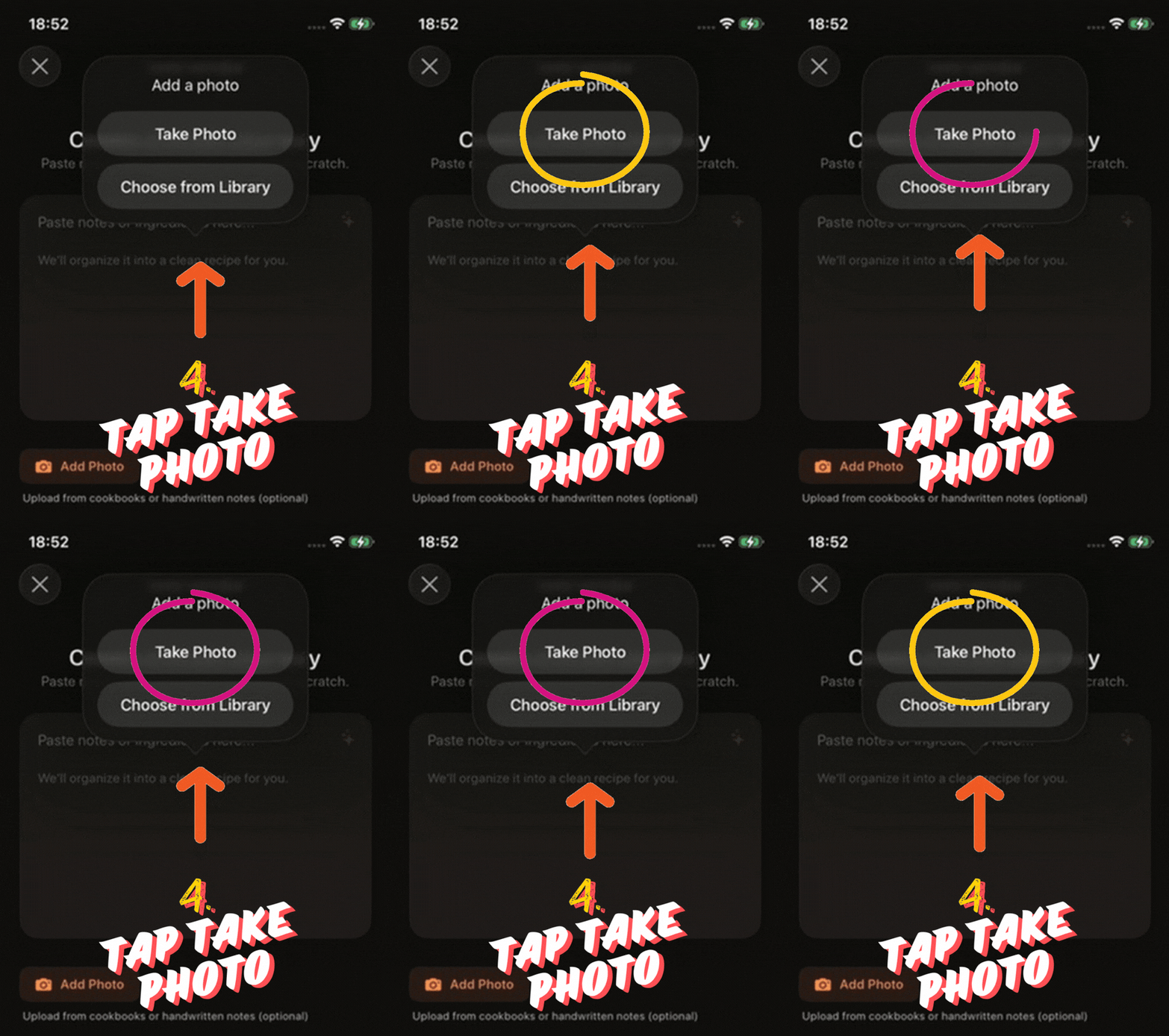
4. Take the cookbook photo
Choose Take Photo to scan the cookbook page with your camera.
Still having trouble importing?
- The page is fully visible and not cut off in the photo.
- The cookbook photo is sharp, bright, and easy to read.
- You captured both the ingredients and instructions when possible.
If the scan is incomplete, retake the photo with better lighting or flatter page positioning.
Still stuck? Contact support