 RecipezyImport Guides
All import guides
TikTok Guide
Import recipes from TikTok videos.
Step 1 of 5
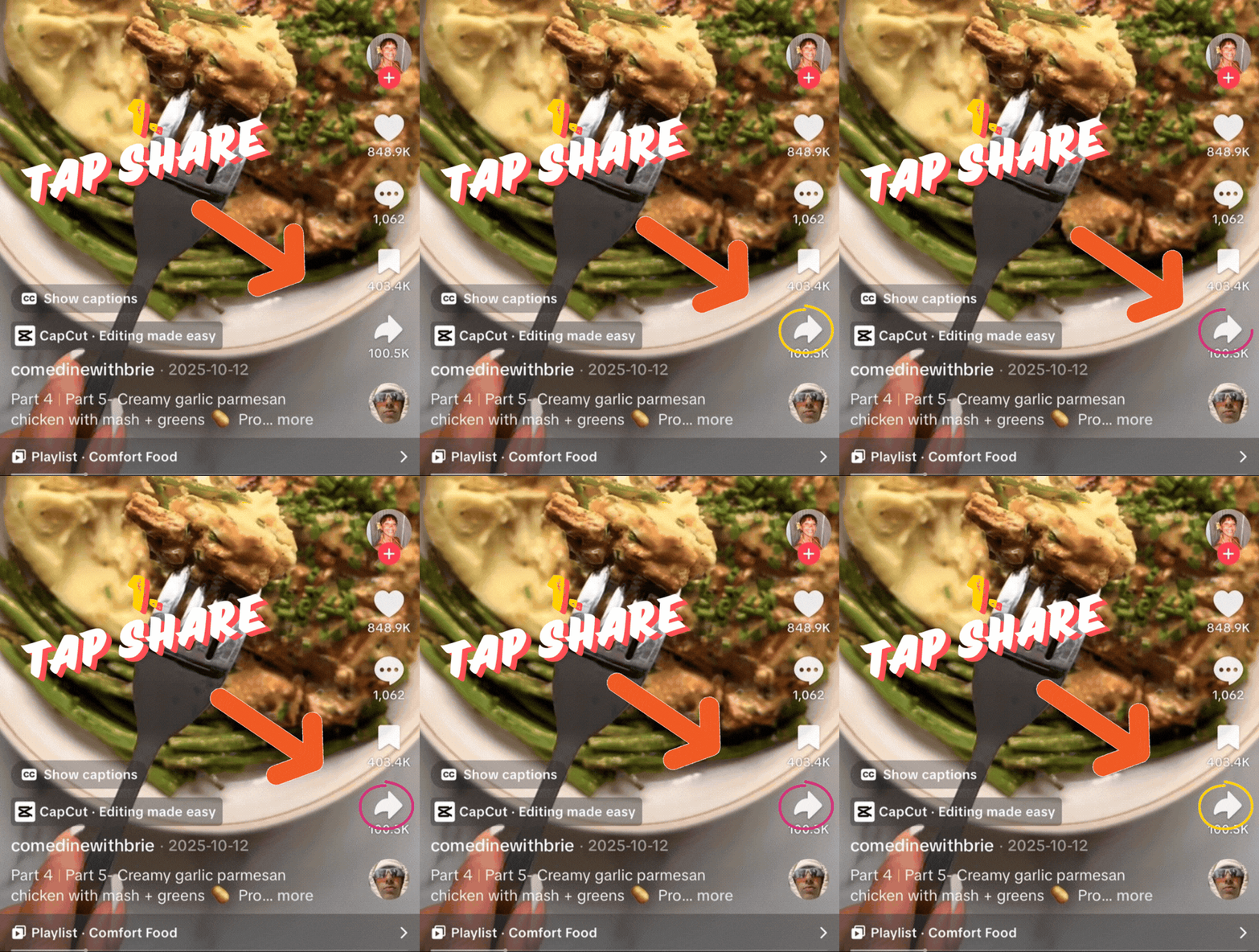
1. Open the share menu
On the TikTok video, tap Share.
Step 2 of 5
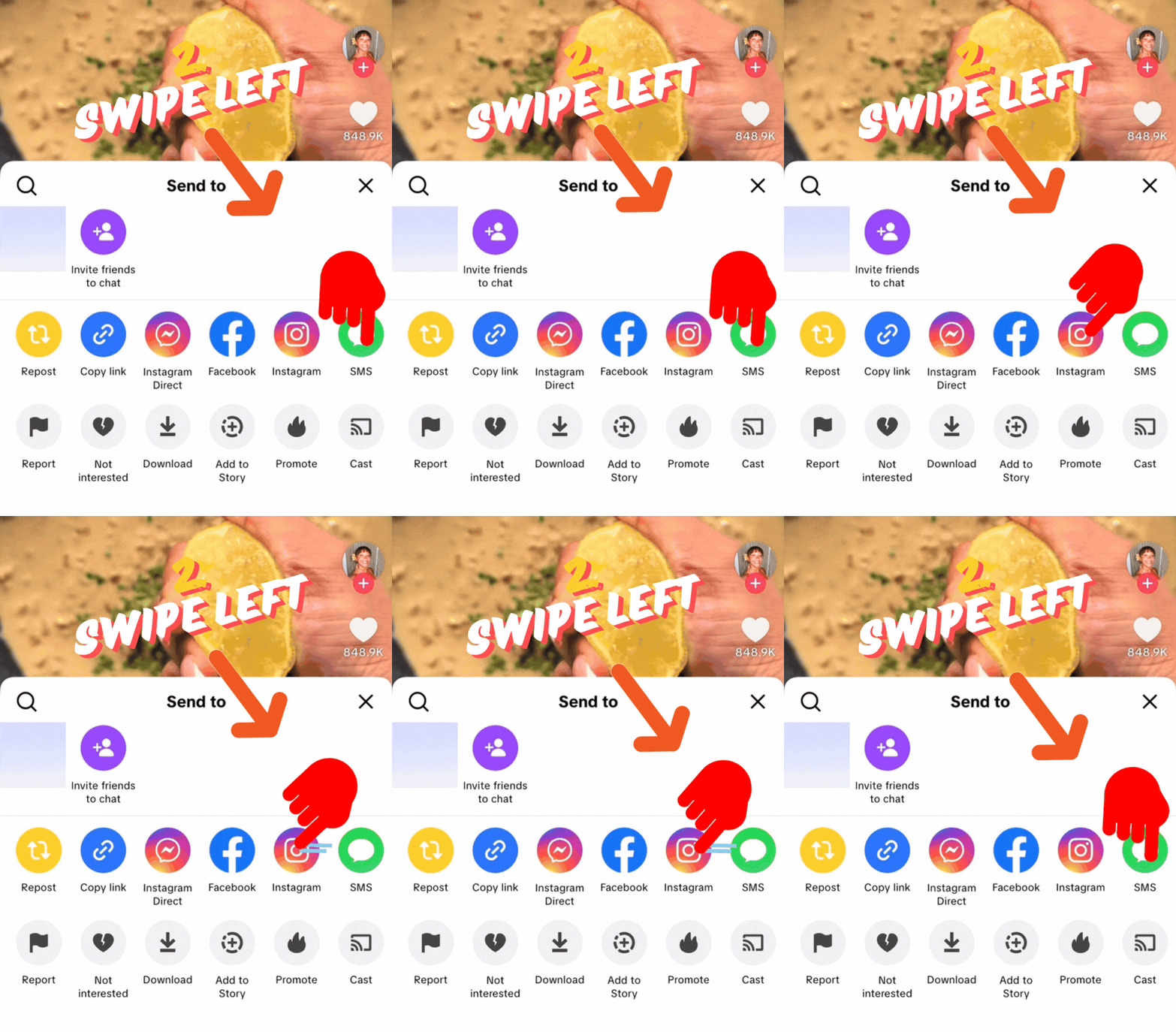
2. Move through the first row
Swipe left in the Send to row to reveal more options.
Step 3 of 5
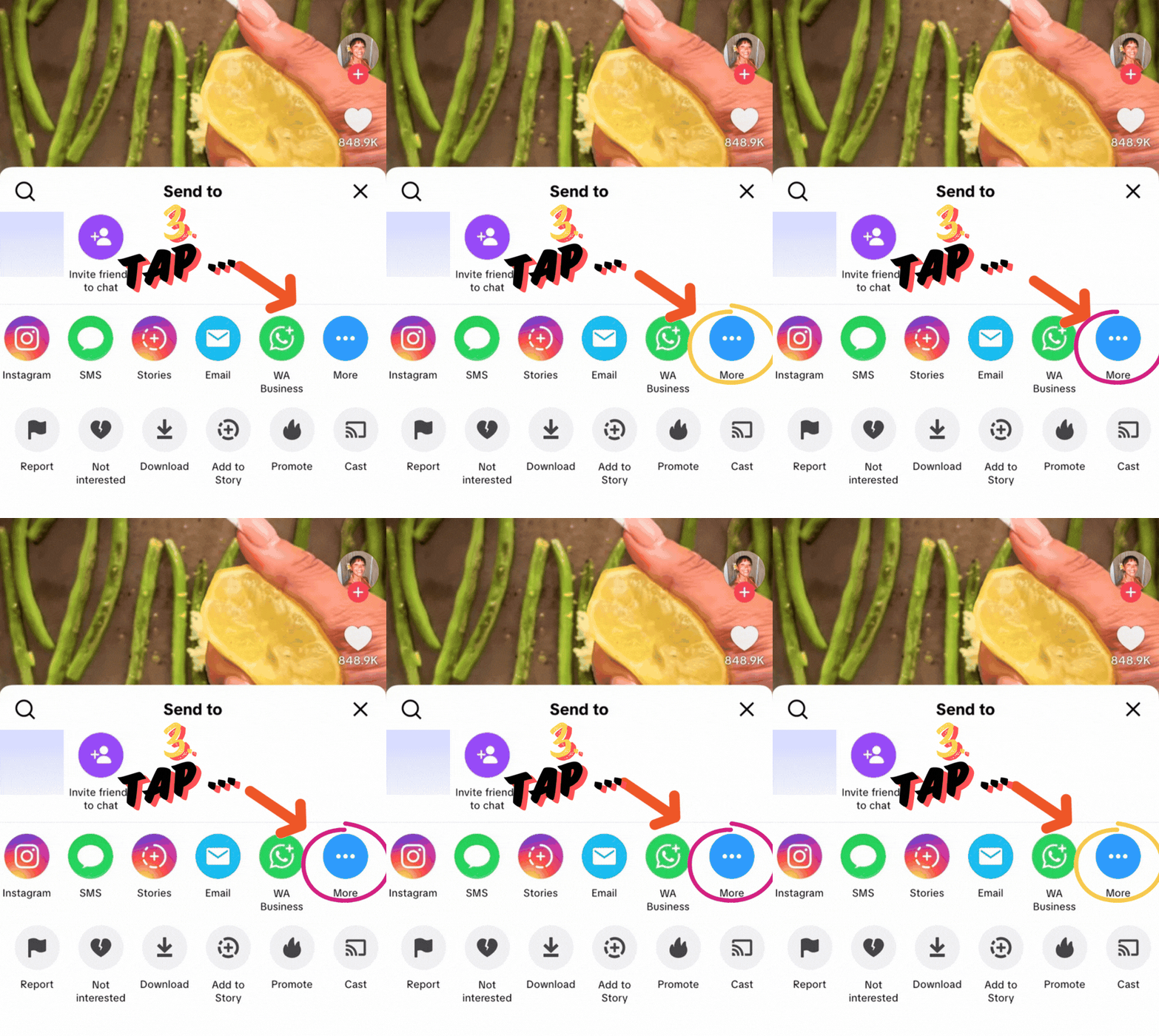
3. Open more apps
Tap More to continue browsing available share targets.
Step 4 of 5
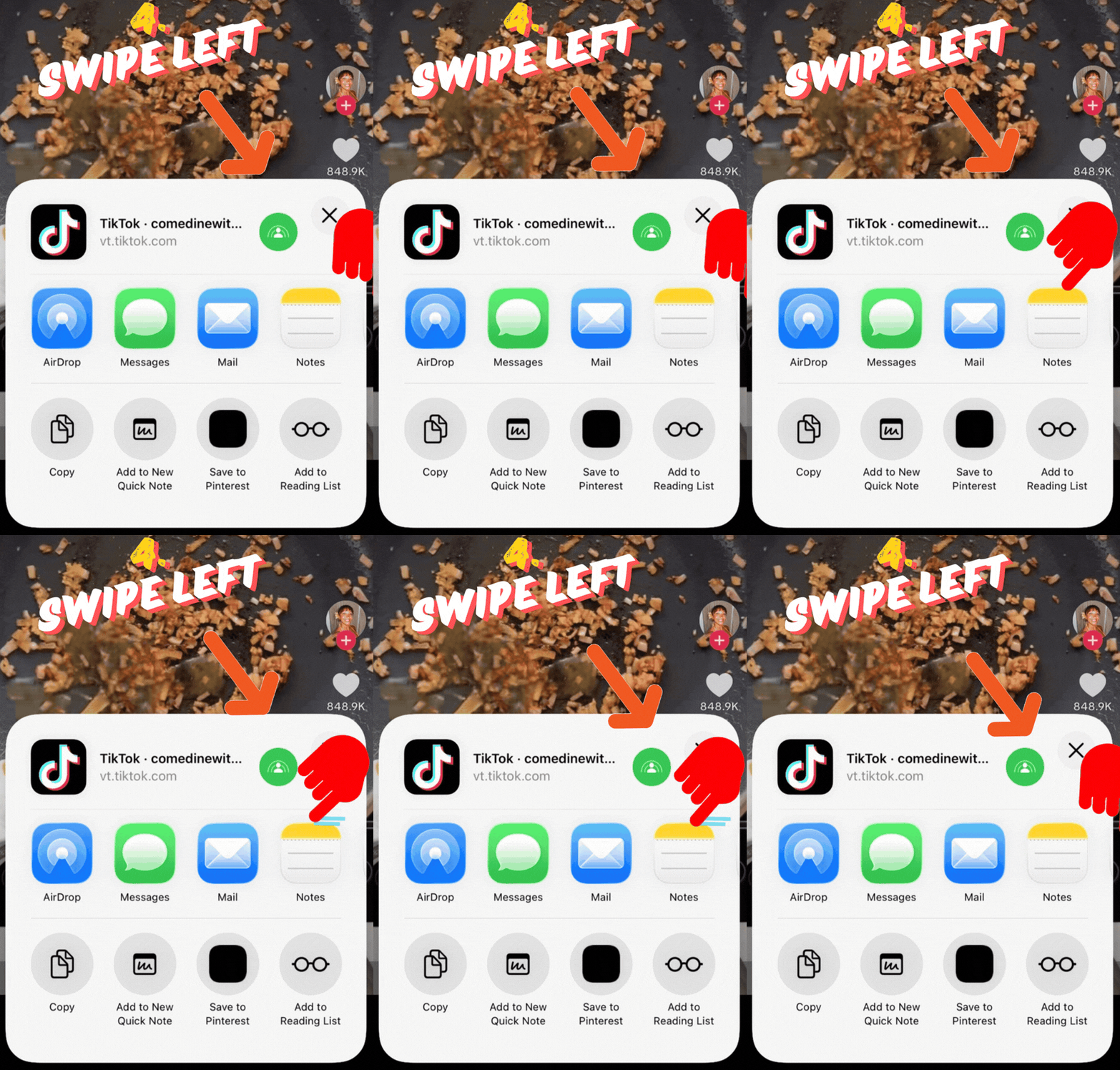
4. Find Recipezy
Swipe left again in the app row until Recipezy is visible.
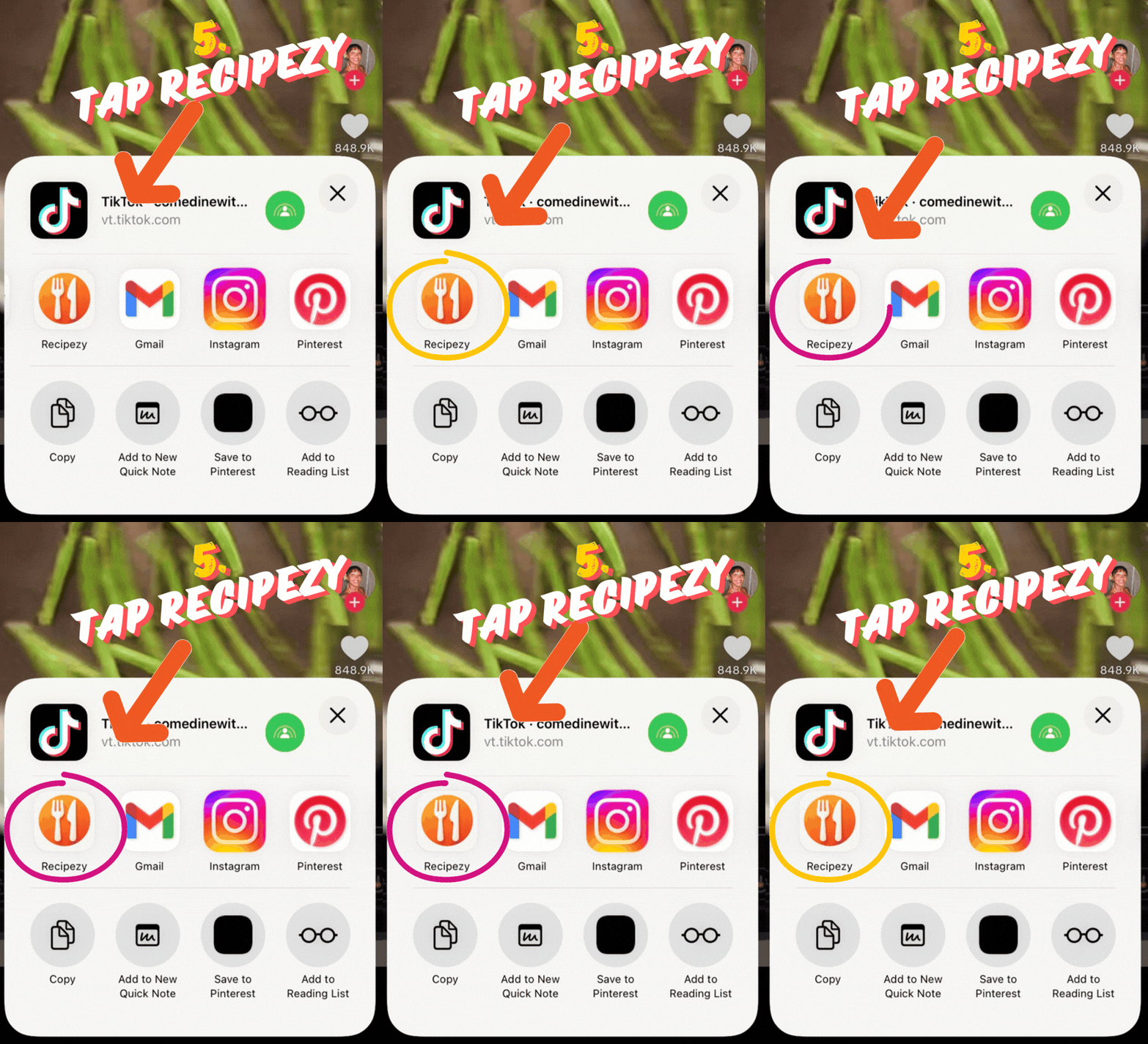
Step 5 of 5
5. Send it to Recipezy
Tap Recipezy to start the import.
Still having trouble importing?
- You copied the direct video link.
- The video is public and available in your region.
- The recipe details are visible in the video or caption.
If importing still fails, open the video link in a browser and try importing from the website view.
Still stuck? Contact support