 RecipezyImport Guides
All import guides
YouTube Guide
Import recipes from YouTube videos and Shorts.
Step 1 of 4
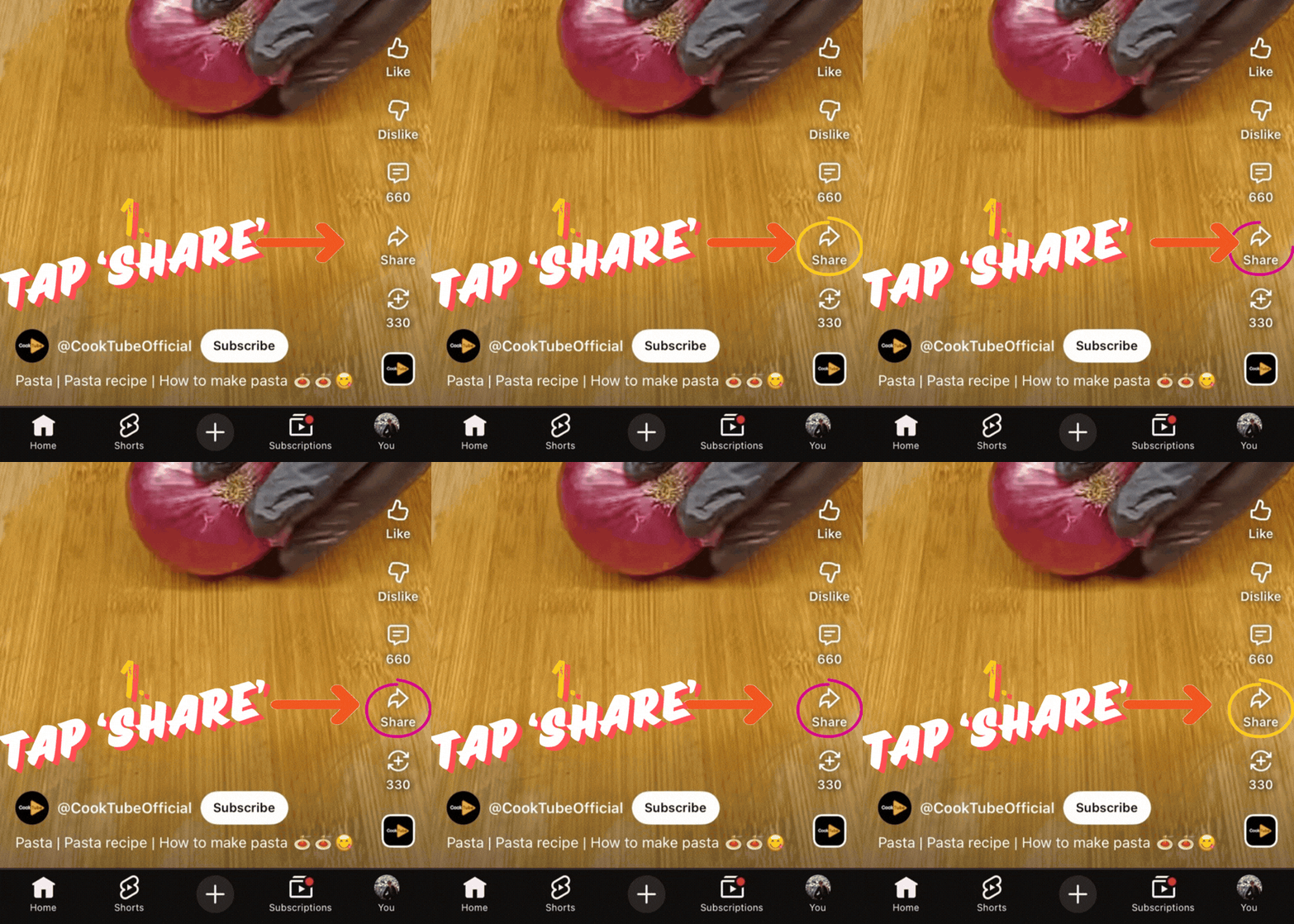
1. Open the share menu
On the YouTube video or Short, tap Share.
Step 2 of 4
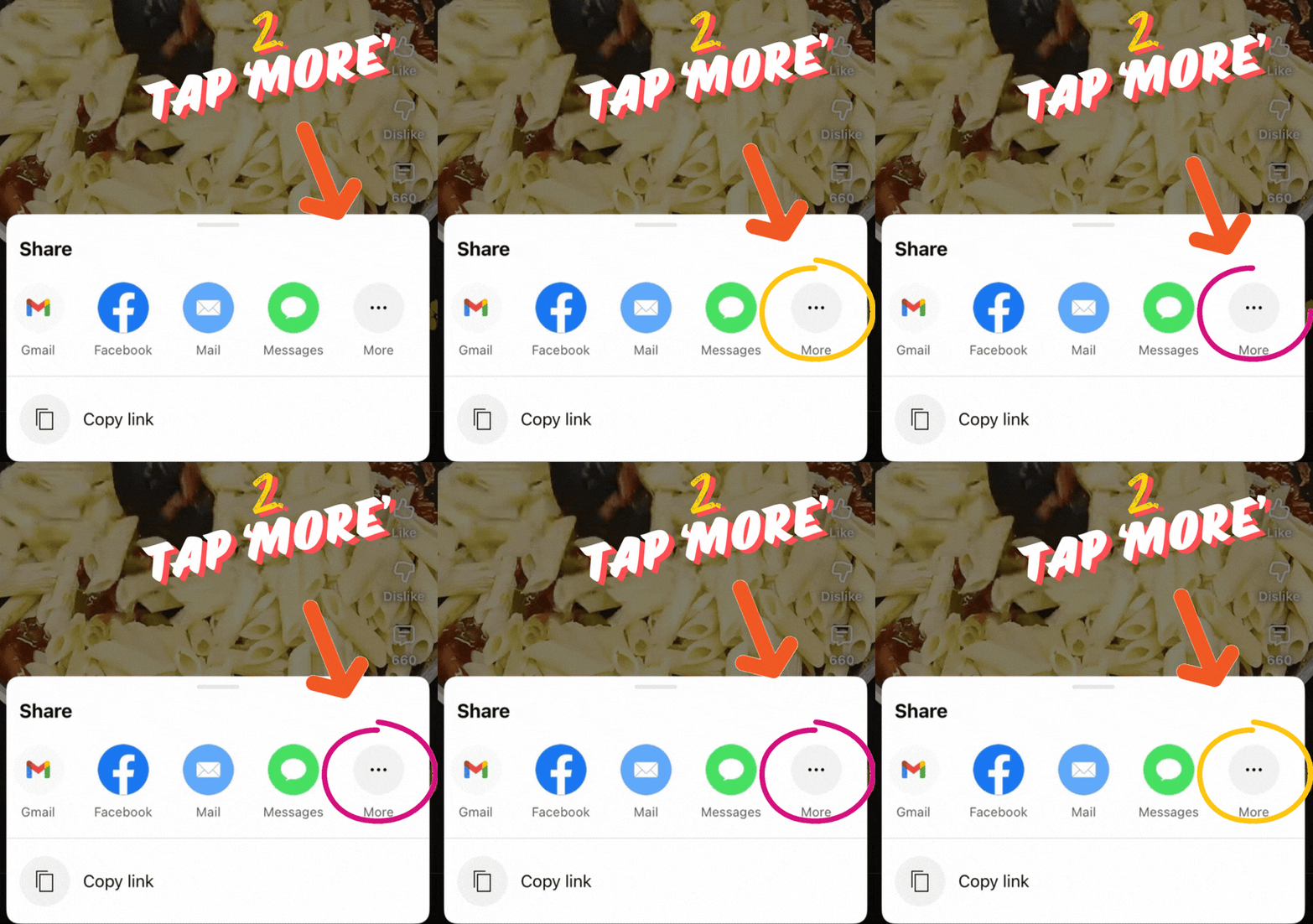
2. Open more actions
In the share sheet, tap More.
Step 3 of 4
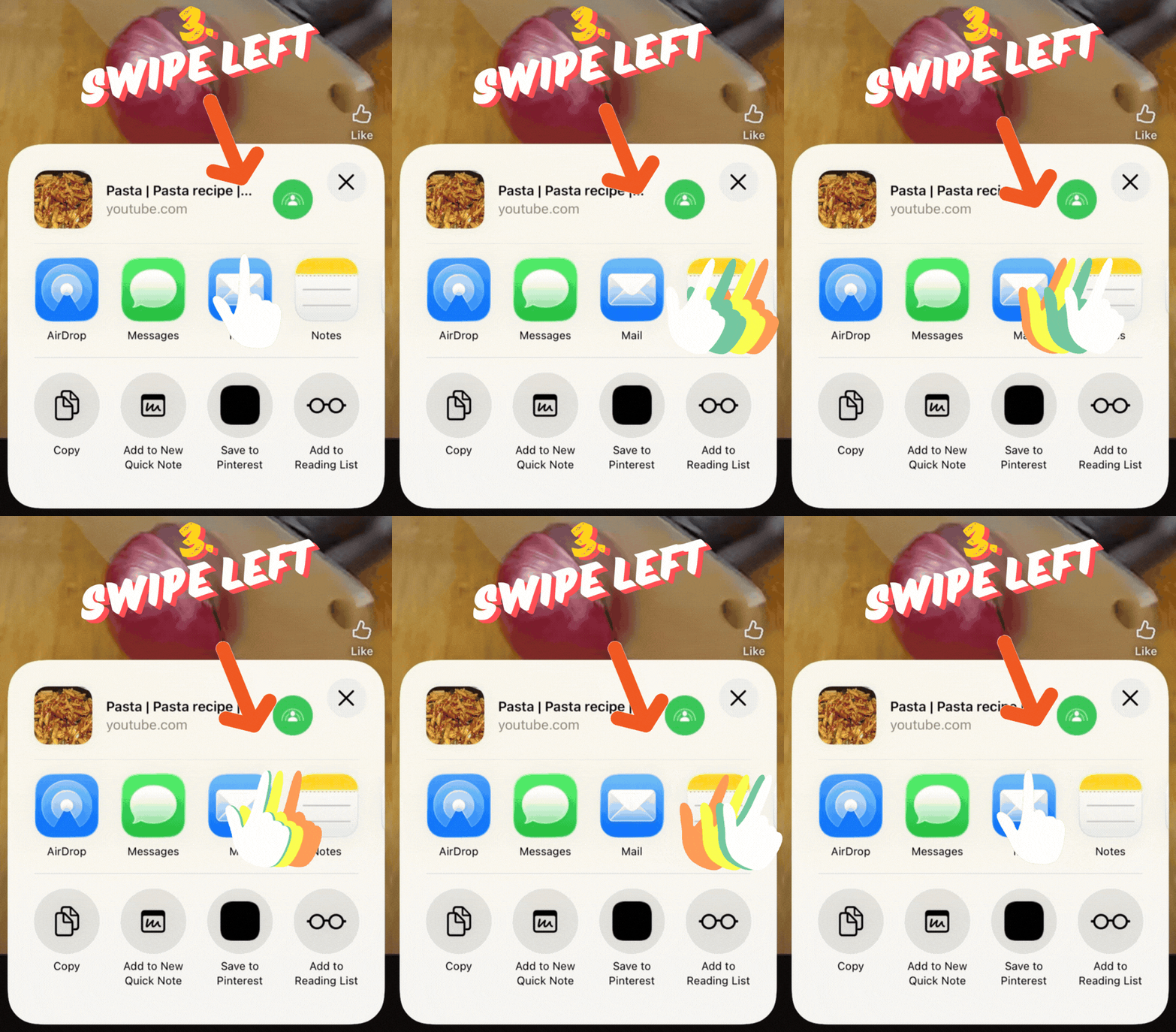
3. Find Recipezy
Swipe left in the app row until Recipezy appears.
Step 4 of 4
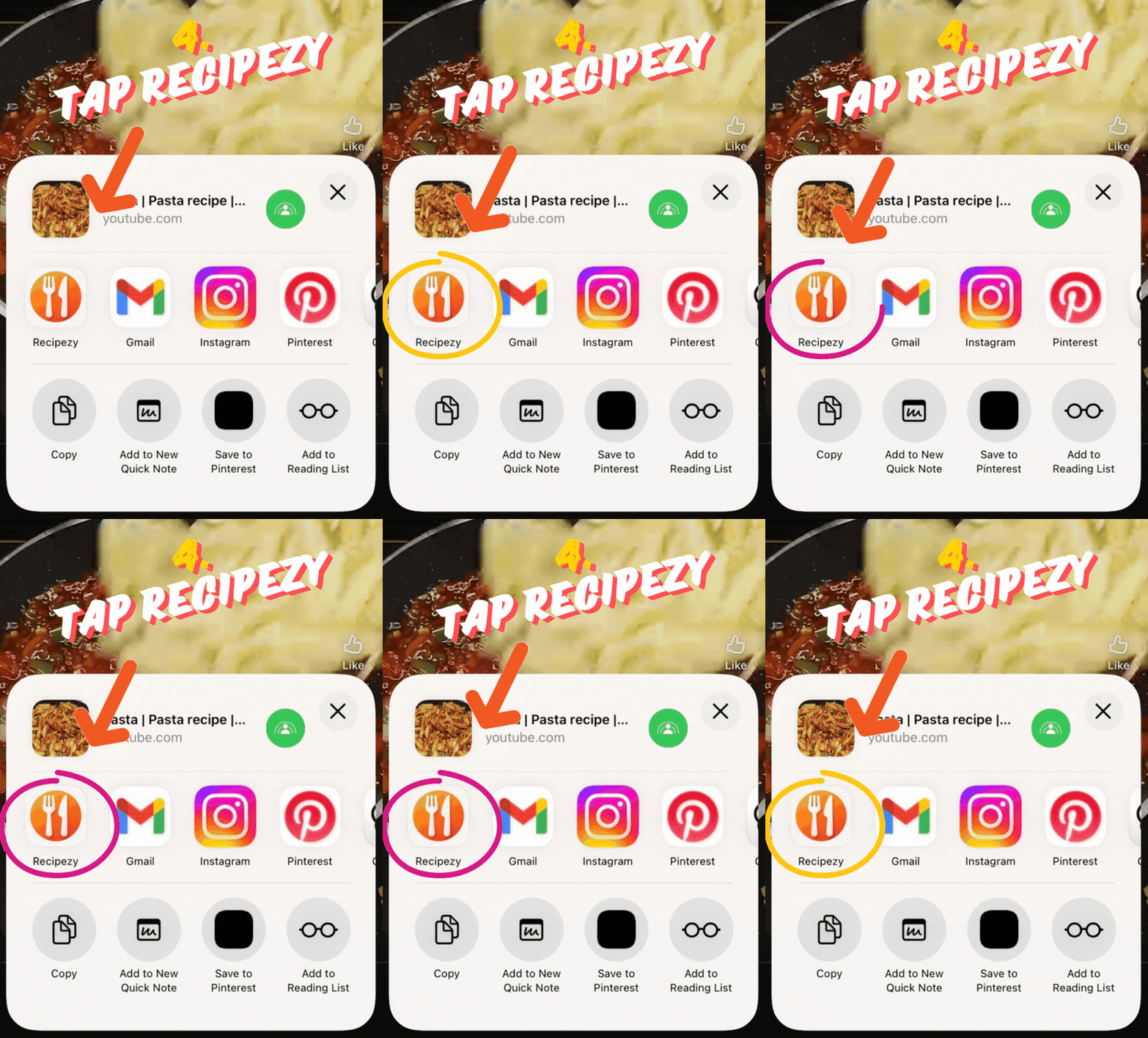
4. Open in Recipezy
Tap Recipezy to continue the import.
Still having trouble importing?
- You copied the video or Shorts link, not the channel page.
- The video is public and playable.
- The recipe is explained in the video or description.
If importing still fails, open the video in the browser and try the Websites guide with the resolved page.
Still stuck? Contact support